Gaggiuino Shot Compare
Welcome to the Gaggiuino Shot Compare project! Analyse your espresso shots, locally.
macOS & Linux users, please see the "For Developers" section below.
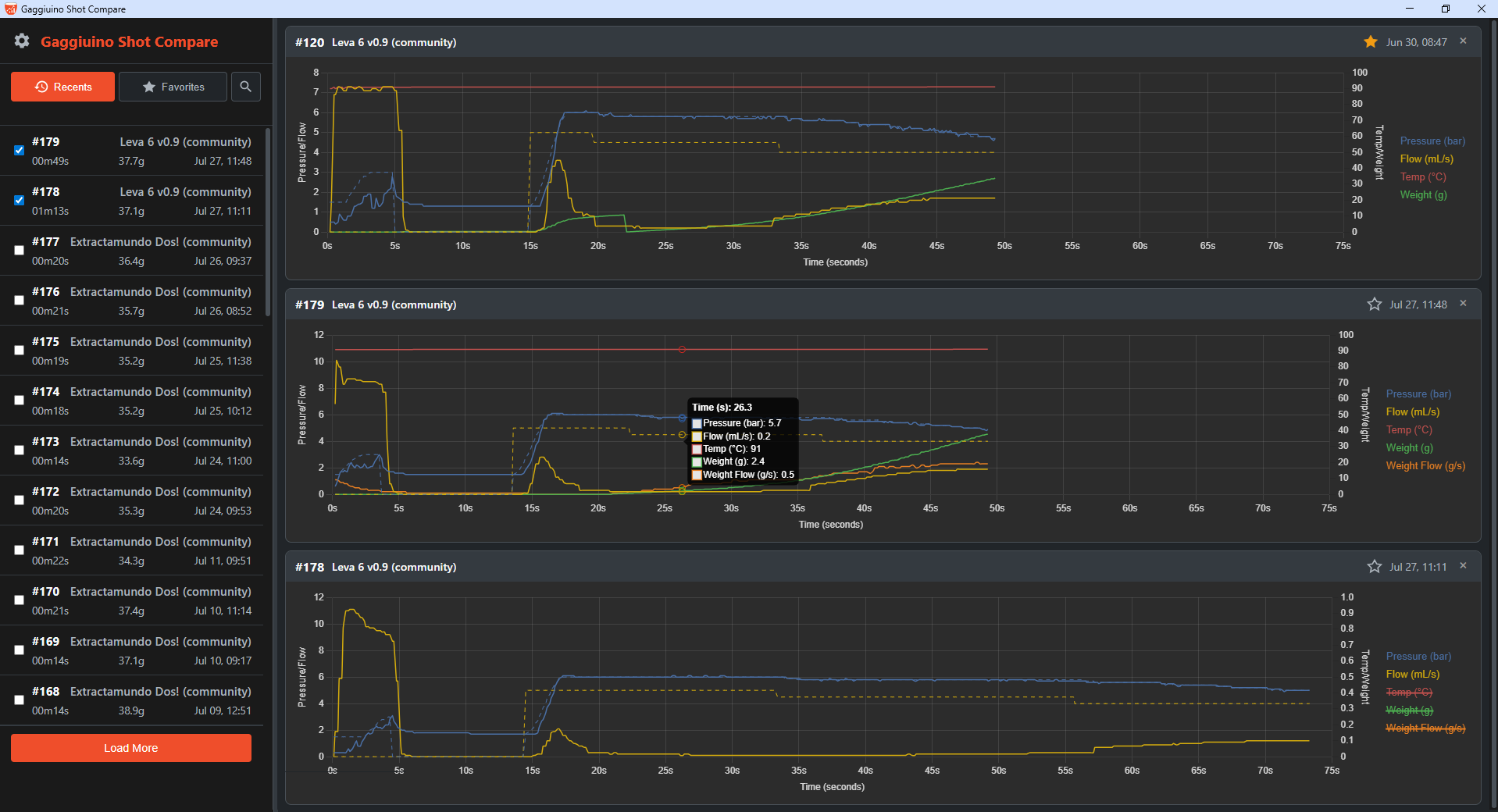
Why Use Gaggiuino Shot Compare?
📈 Compare Multiple Shots
Display shots side-by-side to analyse consistency and the impact of different profiles.
⭐ Save Your Favourites
Star your 'god shots' to save in a dedicated list, making them easy to find and use for reference comparisons.
🚀 Customisable Start-up
Prioritise the historical shots list or just go straight to the most recent shot charts. You decide.
📊 Synchronized Time Axis
All comparison charts share a synchronized time axis, making it effortless to pinpoint differences in brew phases and total shot time.
⚙️ Flexible Configuration
Use the settings panel to change your Gaggiuino's address, set the maximum number of comparison charts, and switch themes.
⚡ Fast & Live UI
The 'Recents' button instantly pulls in new shots made while the app is running. The shot list pre-fetches data in the background for a smooth, responsive feel.
🔍 Profile Filter
Quickly find similar shots by filtering the list by profile name.
💻 Simple for Everyone
Get started instantly on Windows with a single executable file. No installation or command line needed!
🌐 100% Local
Runs entirely on your local network, communicating directly with your Gaggiuino. No internet connection or cloud service required.
Built for the Community
This project started from a simple need: a straightforward way to compare my espresso shots without relying on external services. It was brought to life with a clear set of requirements and the help of AI, and is now shared with the Gaggiuino community in the hope that it's useful to you too.
For Developers & macOS/Linux Users
If you're comfortable with the command line, you can run this project from source. Full instructions are available in the README file on the GitHub repository.